To save some time getting a New Excel Macro-Enabled Workbook ready and well configured, you can utilise the template test.xlsm I have already developed by following the steps below:
- Download the template
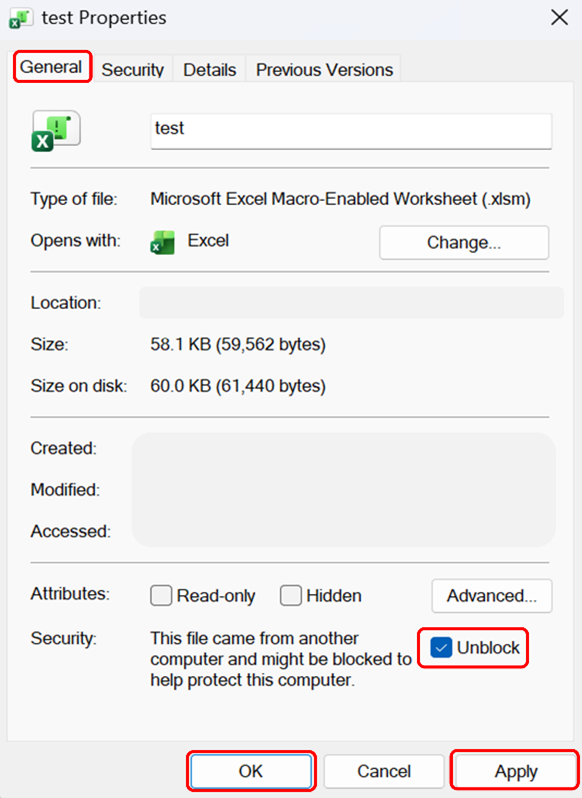
test.xlsm. Do not open the file directly after download! - Right-click the file > Properties > General and check Unblock > Apply > OK (see Figure 16).
- Delete the
test.xlsmfile on your computer. - Re-download the file again and then open it in Excel.
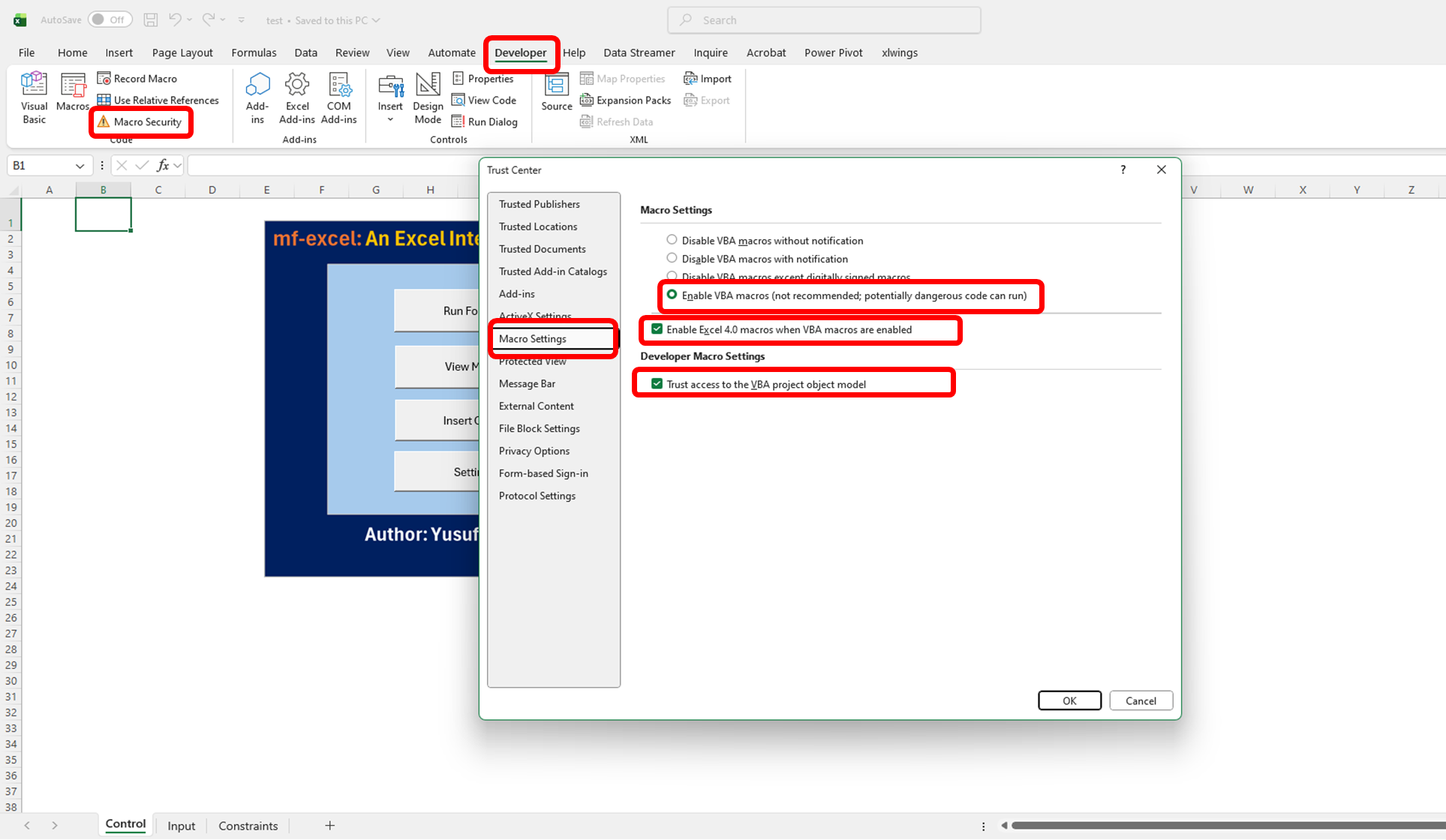
- Give permission and Enable macros: Developer tab > Macro Security > Enable VBA macros. (see Figure 17).